
Download Mercury APK – Latest News and Stories App
Overview
Mercury is a news and storytelling application designed to deliver timely, accurate, and in-depth reporting from Tasmania, Australia, and global events. Developed by The Mercury, a trusted news organization with a reputation for award-winning journalism, the app serves as a digital extension of its print and online platforms. It caters to readers seeking reliable local insights, breaking news, and curated content across multiple categories, including sports, business, entertainment, and lifestyle.
The app is particularly suited for residents of Tasmania who want to stay informed about regional developments, as well as broader audiences interested in high-quality, context-rich reporting. By enabling users to personalize their news feed, follow preferred journalists and topics, and receive tailored notifications, Mercury enhances user engagement and information relevance. The ability to access the digital replica of the printed newspaper ensures readers can experience the full layout and design of the day’s edition.
The app also supports multimedia content, including podcasts from Mercury’s journalism team, expanding its utility beyond text-based updates. While the app is free to download, full access to premium content and features requires a subscription. The Mercury app is available on Google Play and supports Android 4.4 (KitKat) and later versions.
Key Features & Capabilities
- Personalized News Feed – Users can customize their content experience by selecting preferred topics, local news areas, and favorite sports teams, ensuring relevant and targeted updates.
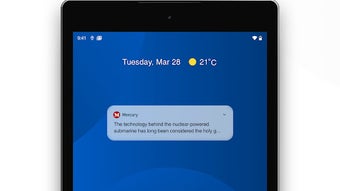
- Breaking News Alerts – Customizable notifications allow users to receive real-time alerts for urgent stories, sports results, business changes, and lifestyle updates.
- Digital Newspaper Replica – Access to the full digital version of today’s printed newspaper, preserving the original layout and design for a familiar reading experience.
- Journalist and Topic Following – Readers can follow specific reporters and subjects to receive direct updates from trusted sources.
- Podcast Integration – The app includes a library of podcasts produced by Mercury’s journalism team, offering deeper dives into major stories and local issues.
- Subscription Access – Full content and feature access require a membership, with login options for existing subscribers and in-app subscription pathways.
These capabilities support a seamless, user-driven news experience, ideal for both casual readers and dedicated followers of local and global affairs. The integration of multimedia formats—text, audio, and visual—caters to diverse consumption habits, while the personalization tools help reduce information overload. The digital replica feature is especially valuable for users who appreciate the traditional newspaper format but desire on-the-go access. For professionals, students, and community members, Mercury offers a reliable source for verified reporting and regional context.
User Interface, Workflow & Performance
The Mercury app features a clean, intuitive interface optimized for mobile consumption. Navigation is structured around a bottom tab bar, with core sections including Home, News, Sports, Podcasts, and Profile. The layout emphasizes readability, with clear headlines, image thumbnails, and consistent typography.
Users can swipe between stories, tap to expand content, and easily adjust notification preferences through a centralized settings menu. The workflow is designed to minimize friction—personalizing the feed or following a journalist requires only a few taps. While performance details were not specified by the developer, the app is built for Android 4.4 and above, suggesting compatibility with a wide range of devices.
General software behavior patterns indicate stable operation under typical usage conditions. The developer did not specify resource usage details, so CPU and RAM behavior cannot be confirmed. However, the app’s focus on content delivery rather than heavy processing suggests moderate system impact.
Stability is expected to be consistent for users on supported devices, particularly with regular updates via Google Play.
Compatibility & System Requirements
Mercury is designed for Android devices running version 4.4 (KitKat) or later. The app is available exclusively on Google Play, indicating integration with the Android ecosystem and adherence to platform guidelines. Installation size is not specified in the provided information.
The developer did not provide additional system requirements, such as minimum RAM, storage, or processor specifications. Compatibility information was partially provided, focusing on OS version support. Users should ensure their device meets the minimum Android version requirement for installation.
The app supports both smartphones and tablets, though screen size optimization details were not shared. For users on older Android versions, compatibility may be limited. The inclusion of Nielsen’s proprietary measurement software suggests data collection for audience analytics, which may affect background processes but does not impact core functionality.
Pros and Cons
Pros
- Free to download and access basic news content
- High-quality, award-winning journalism from a trusted local source
- Personalized news feed with topic and location preferences
- Digital replica of the printed newspaper for authentic reading experience
- Integrated podcasts from experienced journalists
- Customizable notifications for breaking news and updates
- Support for Android 4.4 and above
Cons
- Full content and features require a paid subscription
- No information on system resource usage or performance impact
- App is limited to Android platform; no support for iOS or other systems
- Includes Nielsen measurement software, which may raise privacy concerns for some users
- Installation size and hardware requirements not disclosed
FAQ Section
Is Mercury available for iOS devices?
The app is currently available only on Android through Google Play. There is no information indicating iOS support at this time.
Can I use Mercury without a subscription?
Yes, the app is free to download and use for basic content access. However, full access to all stories, features, and premium content requires a paid subscription.
How do I subscribe to Mercury?
Subscriptions can be managed directly within the app. Existing members can log in using their membership credentials, while new users can sign up through the in-app subscription process.
Does Mercury collect user data?
Yes, the app includes Nielsen’s proprietary measurement software, which collects data for audience research and market analytics. Users may contribute to ratings services through this integration.
Is Mercury a secure app?
The app is distributed through Google Play, which enforces security standards. While no specific security features were detailed, its presence on the official store suggests compliance with platform security policies.
Final Thoughts
Mercury delivers a robust, user-focused news experience tailored for readers in Tasmania and beyond. Its combination of local insight, digital newspaper access, and multimedia content sets it apart from generic news aggregators. The app’s emphasis on trusted journalism and personalization makes it ideal for users who value quality over quantity.
While the subscription model limits full access for free users, the foundational features remain valuable. The lack of detailed system requirements and performance data is a minor drawback, but the app’s compatibility with Android 4.4 and above ensures broad accessibility. For anyone seeking a reliable, feature-rich news tool on Android, Mercury stands out as a strong choice.
Download Mercury now to stay informed with trusted reporting and curated stories.







